
Getting Started with Google’s Blogging Platform
Create a Blog for free on Google Blogger, Google’s free blogging platform, offers an accessible entry point into the world of blogging with monetization potential. Founded in 1999 and acquired by Google in 2003, Blogger provides a straightforward path to publishing content online without any initial investment. Unlike WordPress or other platforms that may require hosting fees, Blogger offers free hosting on Google’s reliable servers, integrated Google Analytics, and seamless AdSense integration for monetization.
To begin your blogging journey, navigate to blogger.com and sign in with your Google account. If you don’t have one, you’ll need to create it first. Once logged in, click on “Create New Blog” to set up your online presence. Choose a descriptive blog name that reflects your content focus and select an available Blogger subdomain (yourblogname.blogspot.com). While this free subdomain works perfectly, serious bloggers may eventually want to purchase a custom domain for professional branding.
Customizing Your Blogger Design
The visual appeal of your blog significantly impacts user engagement and retention. Blogger offers various templates that serve as starting points for your design. From the Blogger dashboard, click on “Theme” to browse available templates. Select one that complements your content niche—minimalist designs work well for text-focused blogs, while grid layouts suit image-heavy content.
After choosing a template, customize it by clicking “Customize” to access the theme editor. Here, you can adjust colors, fonts, layouts, and other design elements without coding knowledge. For a professional appearance:
- Choose a color scheme (2-3 complementary colors) that reflects your brand
- Select readable fonts (Sans-serif for body text, serif or decorative fonts for headings)
- Upload a custom header image or logo (recommended size: 1200×400 pixels)
- Organize your sidebar with essential widgets only to minimize clutter
- Ensure mobile responsiveness by previewing your design on different device sizes
For advanced customization, Blogger allows HTML/CSS editing through the “Edit HTML” option. This enables precise control over your blog’s appearance if you possess coding skills. In this way you can create a blog for free on google.
Creating Content That Attracts Readers
Content quality determines your blog’s success. Before writing your first post, define your niche—a specific topic area where you can provide value. Successful blogs typically focus on particular subjects rather than covering everything. Research trending topics within your niche using Google Trends, BuzzSumo, or Answer the Public to identify what potential readers are searching for.
When creating posts, follow these best practices:
- Craft compelling headlines: Include keywords, numbers, and emotional triggers while keeping them under 60 characters
- Structure content for readability: Use subheadings (H2, H3), short paragraphs (3-4 sentences maximum), and bullet points
- Incorporate visual elements: Add relevant images, infographics, or videos every 300 words to break text monotony
- Optimize for SEO: Include target keywords in your title, first paragraph, headings, and throughout the content naturally
- Write comprehensive content: Aim for 1,500+ words for pillar articles to thoroughly cover topics
- Maintain consistency: Establish a publishing schedule (weekly or bi-weekly) and stick to it
To create a post, click “New Post” from your Blogger dashboard. Use the editor to format text, add images, and incorporate links. Before publishing, preview your post to ensure proper formatting across devices.
SEO Optimization for Maximum Visibility
Search engine optimization helps your content reach your target audience. Blogger provides basic SEO features that, when properly utilized, can significantly improve your search ranking.
Start by researching keywords using free tools like Google Keyword Planner, Ubersuggest, or Keywords Everywhere. Focus on long-tail keywords (3-5 word phrases) with decent search volume and lower competition. For each post, select one primary keyword and 2-3 related secondary keywords.
Implement these SEO elements in each post:
- URL structure: Edit your post’s permalink to include your primary keyword while keeping it concise
- Meta description: Write a compelling 150-160 character description containing your primary keyword
- Image optimization: Rename image files with descriptive, keyword-rich names before uploading and add ALT text
- Internal linking: Link to your other relevant posts to create content clusters
- External linking: Include links to authoritative sources to support your claims
- Header tags: Organize content with H2 and H3 tags containing keywords
In Blogger’s settings, enable “Search Description” under “Search Preferences” to allow custom meta descriptions. Also, submit your blog to Google Search Console for indexing monitoring and performance insights.
Monetizing Your Blogger Blog
Once you’ve built content and begun attracting visitors, you can implement various monetization strategies. Google AdSense stands as the primary monetization method for Blogger, offering contextual advertising that matches your content.
To set up AdSense:
- Ensure your blog complies with Google’s policies (no copyright infringement, no adult content)
- Have at least 10-15 quality posts published
- Navigate to “Earnings” in your Blogger dashboard
- Click “Sign up for AdSense”
- Complete the application process
- Once approved, ads will automatically appear on your blog
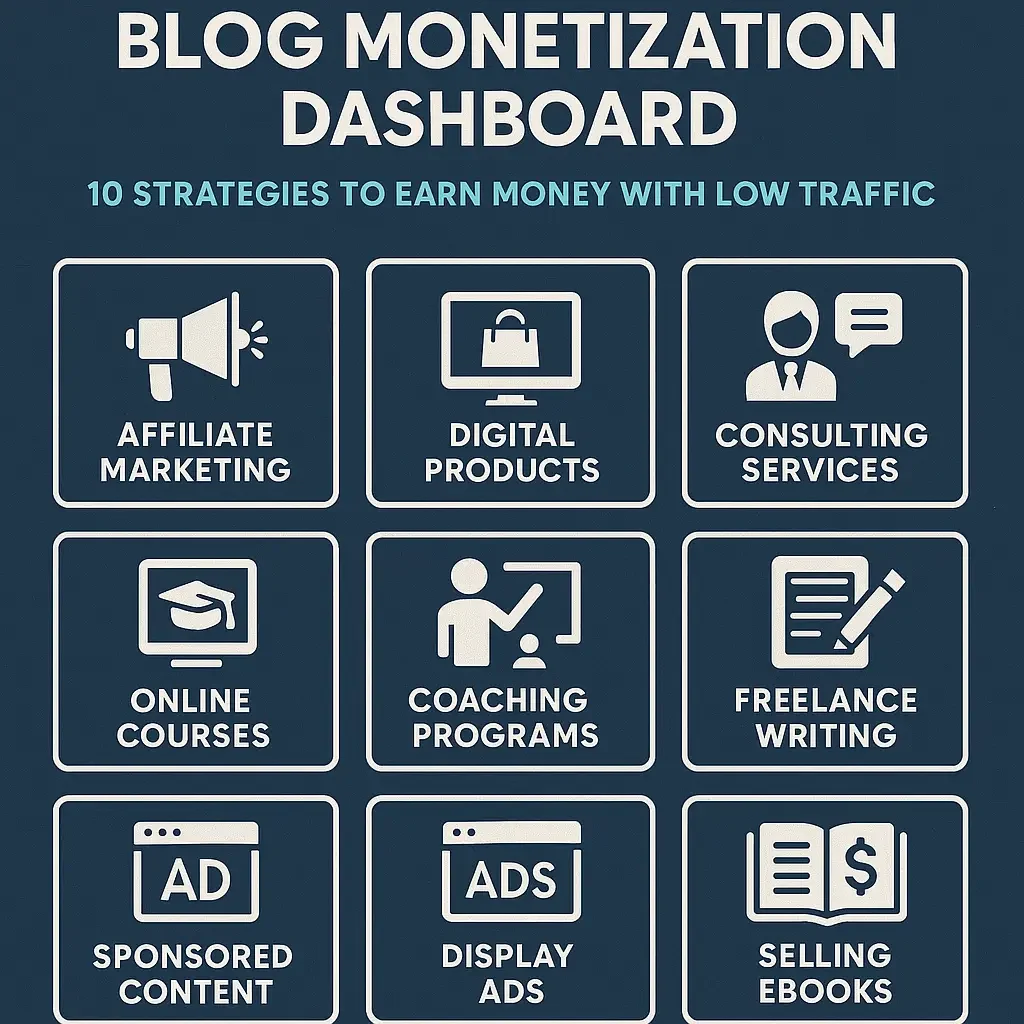
Beyond AdSense, diversify your income through:
- Affiliate marketing: Promote products related to your niche through Amazon Associates, ShareASale, or direct brand programs, earning commissions on sales
- Sponsored content: Partner with brands for paid posts once you’ve established authority (typically requiring 5,000+ monthly visitors)
- Digital products: Create and sell ebooks, templates, or courses directly to your audience
- Membership content: Offer premium content through platforms like Patreon
- Consulting services: Leverage your expertise to provide consulting in your niche area
For income tracking, create a spreadsheet documenting revenue sources, payment dates, and amounts. This helps identify your most profitable monetization channels and optimize accordingly.
Growing Your Blog’s Traffic
Building substantial traffic requires strategic promotion beyond creating quality content. Implement these traffic-building tactics:
Social media marketing: Create profiles on platforms where your target audience spends time. Share each new post with engaging captions and relevant hashtags. Pinterest particularly drives significant traffic to blogs with proper image optimization.
Email marketing: Integrate a free email service like MailChimp with your Blogger blog. Place subscription forms in your sidebar, after posts, and as pop-ups to build your email list. Send regular newsletters with your latest content.
Community engagement: Participate in niche-related forums, Reddit communities, and Facebook groups. Answer questions, provide value, and occasionally share relevant posts (when permitted).
Guest posting: Write articles for established blogs in your niche to tap into their audience and build backlinks.
Comment marketing: Leave thoughtful comments on popular blogs in your niche, using your blog name in the “name” field rather than your personal name.
- Republishing on Medium: Republish your best content on Medium using their import tool (which creates canonical links to avoid SEO penalties) to reach new readers.
Track your traffic growth using Google Analytics. Connect it to your blog by navigating to “Settings” > “Basic” > “Statistics” and entering your tracking ID.
Maintaining Long-Term Success
Sustainable blogging success requires adaptation and persistence. Analyze your Google Analytics data quarterly to identify:
- Top-performing content (to create similar topics)
- Traffic sources (to focus promotion efforts)
- User behavior (time on page, bounce rate)
- Conversion points (what triggers actions like email signups)
Update older posts regularly with fresh information, additional sections, and improved SEO elements. These content refreshes often result in ranking improvements.
As your blog grows, reinvest some earnings into:
- A custom domain name ($10-15/year) for professional branding
- Premium design templates or customizations
- Advanced SEO tools like Semrush or Ahrefs (starting with their free versions)
- Content creation tools such as Canva Pro for better visuals
Remember that successful blogging requires consistency and patience. Most profitable blogs take 12-18 months to generate significant income. Focus on providing genuine value to your audience, and monetization will follow naturally as your authority and traffic grow.